Disclosure: This post contains Amazon affiliate links. As an Amazon Associate, we earn from qualifying purchases at no extra cost to you.
The Rise of Smart Home Vacuums
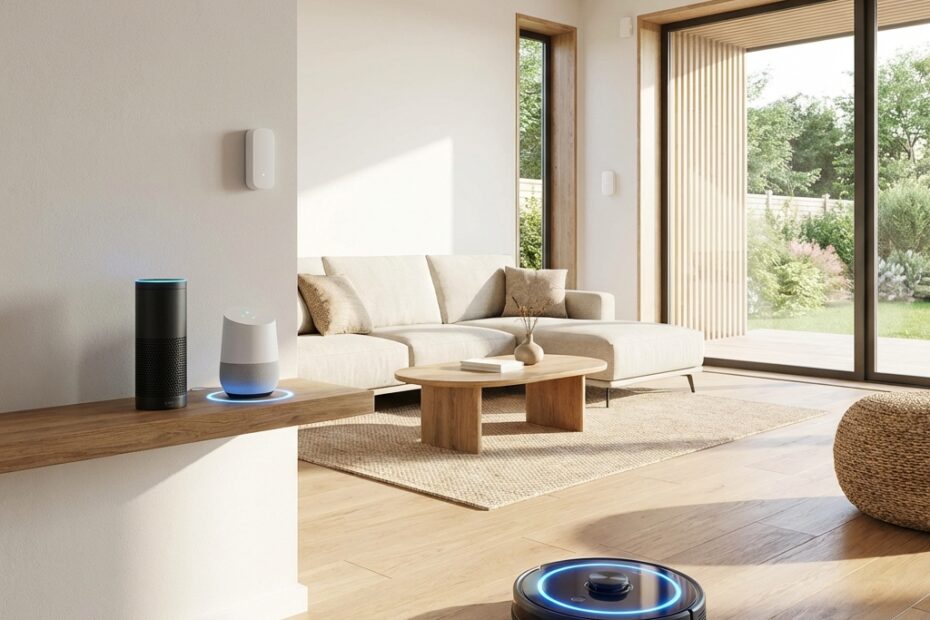
The smart home revolution has transformed how we clean our homes. Smart vacuums with Alexa and Google Home support allow you to start, stop, schedule, and monitor cleaning sessions using nothing but your voice. Whether you are cooking dinner with messy hands or simply relaxing on the couch, voice-controlled vacuuming brings unprecedented convenience to home cleaning.
Beyond voice commands, smart vacuums integrate with broader home automation systems. They can trigger cleaning when you leave for work, pause when someone rings the doorbell, or coordinate with other smart devices for a fully automated home. In this comprehensive guide, we will explore the best smart vacuums that work seamlessly with Amazon Alexa and Google Home, examining their features, voice capabilities, and overall performance.
Understanding Smart Vacuum Integration
Alexa Integration
Amazon Alexa-compatible vacuums use Alexa Skills to enable voice control. Once set up, you can use commands like “Alexa, ask [vacuum name] to start cleaning” or simply “Alexa, start the vacuum” with compatible models. Advanced integrations allow room-specific commands such as “Alexa, clean the kitchen” when the vacuum has room mapping capabilities.
Alexa Routines take smart vacuuming further by triggering cleaning based on other events. Create a routine that starts vacuuming automatically when you say “Alexa, I’m leaving” or when a scheduled time arrives. Combine with other smart home actions for complete automation.
Google Home Integration
Google Home integration works through the Google Home app and Google Assistant. Voice commands typically use “Hey Google, start the vacuum” or “Hey Google, tell [vacuum name] to clean the bedroom.” Google Routines provide similar automation capabilities to Alexa, allowing cleaning triggers based on time, location, or other smart home events.
Google Home integration also enables asking about vacuum status. “Hey Google, is the vacuum charging?” or “Hey Google, when did the vacuum last clean?” provide quick updates without opening any app.
Top 5 Smart Vacuums with Voice Control
1. iRobot Roomba j7+ – Best Alexa Integration
The iRobot Roomba j7+ offers the most refined voice control experience with dedicated Alexa Skill that supports over 20 different voice commands. Beyond basic start and stop, you can request specific rooms, check cleaning status, locate the robot, and access cleaning history through voice commands alone. The integration feels natural and responsive.
iRobot has invested heavily in smart home compatibility. The j7+ works with IFTTT (If This Then That) applets for advanced automation scenarios. Create rules like automatically cleaning when a smart smoke detector clears after cooking, or scheduling extra cleaning when pollen counts are high in your area. This level of integration is unmatched in the industry.
The Clean Base automatic dirt disposal adds convenience with 60 days of hands-free operation. Combined with voice control, you may not need to interact with the vacuum physically for months at a time. PrecisionVision navigation ensures the robot avoids obstacles including pet waste and cables.
Smart Features:
- Full Alexa and Google Assistant support with extensive voice commands
- Room-specific cleaning via voice
- IFTTT integration for advanced automation
- Cleaning reports sent to your phone
- Geofencing – starts cleaning when you leave home
- Integration with Smart Things and other platforms
Pros: Best voice control implementation, extensive smart home integration, reliable obstacle avoidance
Cons: Premium price, no mopping function
For more robot vacuum options, see our complete self-emptying robot vacuum guide.
2. Roborock S8 Pro Ultra – Best Google Home Integration
The Roborock S8 Pro Ultra excels with Google Home, offering responsive voice control and detailed status reports through Google Assistant. The integration extends to Google’s smart home ecosystem, appearing reliably in the Google Home app alongside other devices. Voice commands cover all essential functions including room selection, power levels, and mop control.
What sets Roborock apart is the depth of in-app customization that carries over to voice commands. Set up room-specific cleaning routines in the app, then trigger them by voice. “Hey Google, clean upstairs” can initiate a complex multi-room sequence you have previously configured. This flexibility makes voice control practical for daily use.
The S8 Pro Ultra’s combination of 6000Pa suction, advanced mopping with auto-wash, and comprehensive smart features makes it the most capable robot vacuum with excellent voice control. The RockDock Ultra handles emptying, mop washing, and drying automatically, truly enabling hands-free operation when combined with voice commands.
Smart Features:
- Responsive Google Assistant and Alexa support
- Multi-floor map support with voice-commanded floor selection
- Schedule creation and modification via voice
- Real-time status updates through smart speakers
- Smart home scenes and automation support
- Remote control through Google Home app
Pros: Excellent Google integration, powerful cleaning with mopping, comprehensive dock automation
Cons: Complex setup for advanced features, large dock footprint
3. Ecovacs Deebot X2 Omni – Best Built-In Voice Control
The Ecovacs Deebot X2 Omni is unique in offering YIKO, a built-in voice assistant that can control the vacuum directly without needing a separate smart speaker. Simply speak commands near the robot, and it responds. This is particularly useful in rooms without smart speakers or for renters who have not invested in smart home infrastructure.
Beyond YIKO, the X2 Omni fully supports both Alexa and Google Home for traditional voice control through smart speakers.The dual approach means you always have a voice control option available. YIKO understands natural language, so you can say “clean the living room” or “go back to dock” conversationally.
The X2’s square design and 8000Pa suction deliver exceptional cleaning performance to match its smart features. The OMNI dock handles all maintenance automatically including emptying, mop washing with hot water, drying, and water refilling. Combined with voice control, this creates the most hands-off cleaning experience available.
Smart Features:
- Built-in YIKO voice assistant – no smart speaker needed
- Full Alexa and Google Assistant compatibility
- Natural language understanding for conversational commands
- Video call capability for remote viewing
- Advanced automation with schedules and zones
- Voice status updates without app access
Pros: On-device voice control, natural language support, strongest suction in category
Cons: Premium pricing, YIKO occasionally less responsive than smart speakers
4. Shark AI Ultra – Best Value Smart Vacuum
The Shark AI Ultra delivers solid Alexa integration at a more accessible price point than premium competitors. Voice commands cover essential functions including start, stop, dock, and basic scheduling. While not as feature-rich as iRobot’s implementation, it reliably handles the commands most users need on a daily basis.
Shark’s Matrix Clean navigation creates efficient cleaning paths, and the self-cleaning brushroll handles pet hair without tangling. The bagless self-empty base provides up to 60 days of hands-free operation. For households that want reliable voice control without premium pricing, the Shark AI Ultra strikes an excellent balance.
The SharkClean app provides the configuration layer for voice commands, letting you set up room names and cleaning preferences that voice commands can then access. Once set up, typical daily interaction happens entirely through Alexa, with the app reserved for occasional adjustments.
Smart Features:
- Alexa integration for essential voice commands
- Room selection via voice when mapped
- Scheduling through voice commands
- Status updates through Alexa
- Integration with Alexa Routines
- Affordable compared to premium smart vacuums
Pros: Excellent value, reliable Alexa support, no-tangle brushroll, bagless emptying
Cons: Limited Google Home support, fewer voice commands than premium models
Want to compare Shark with other brands? Check our Dyson vs Shark comparison.
5. Eufy RoboVac X8 Hybrid – Best Budget Smart Option
The Eufy RoboVac X8 Hybrid proves that you do not need to spend a fortune for smart vacuum functionality. Both Alexa and Google Home are supported with reliable voice commands for essential cleaning operations. The twin-turbine system delivers strong suction while maintaining quiet operation that will not disrupt Alexa or Google listening for commands.
Eufy’s approach focuses on reliability over feature count. Voice commands work consistently, and the robot responds promptly. While you will not find the advanced automation options of premium models, the core voice control experience is solid. Start, stop, dock, and schedule commands work as expected.
The hybrid mopping capability adds value, handling light mopping alongside vacuuming. iPath Laser Navigation creates accurate maps for room-specific voice commands. For smart home newcomers or those with modest budgets, the X8 Hybrid delivers smart vacuum capability at a fraction of premium pricing.
Smart Features:
- Both Alexa and Google Assistant support
- Reliable basic voice commands
- Room selection when mapped
- Quiet operation for voice command compatibility
- EufyHome app for configuration
- Budget-friendly pricing
Pros: Affordable smart vacuum, reliable voice control, hybrid mopping, quiet operation
Cons: Fewer advanced smart features, no self-emptying option
Setting Up Voice Control
Alexa Setup Steps
- Set up your robot vacuum in its manufacturer app first
- Open the Amazon Alexa app on your phone
- Go to Skills and Games and search for your vacuum brand
- Enable the skill and sign in with your vacuum manufacturer account
- Alexa will discover and add your vacuum as a device
- Try saying “Alexa, start the vacuum” to test
Google Home Setup Steps
- Set up your robot vacuum in its manufacturer app first
- Open the Google Home app on your phone
- Tap the plus icon to set up a new device
- Select Works with Google and find your vacuum brand
- Sign in with your vacuum manufacturer account
- The vacuum will appear in your Google Home
- Try saying “Hey Google, start the vacuum” to test
Best Voice Commands to Use
| Action | Alexa Command | Google Command |
|---|---|---|
| Start cleaning | “Alexa, start the vacuum” | “Hey Google, start the vacuum” |
| Stop cleaning | “Alexa, stop the vacuum” | “Hey Google, stop the vacuum” |
| Return to dock | “Alexa, tell [name] to dock” | “Hey Google, dock the vacuum” |
| Clean specific room | “Alexa, clean the kitchen” | “Hey Google, clean the kitchen” |
| Check status | “Alexa, is [name] running?” | “Hey Google, vacuum status” |
| Locate vacuum | “Alexa, find [name]” | “Hey Google, where is the vacuum?” |
Creating Smart Cleaning Routines
Morning Routine
Create a routine that starts vacuuming after everyone leaves for work or school. Use “Good morning” or “I’m leaving” as the trigger, then add vacuum start to the routine actions. The robot cleans while you are away, and your home is fresh when you return.
Pre-Guest Cleaning
Create a “guests coming” routine that initiates a thorough cleaning session. For vacuums with mopping capability, include mop mode for hard floors. Trigger manually when you know guests are on their way.
Post-Cooking Cleanup
Use IFTTT or advanced routines to trigger kitchen cleaning after extended stove or oven use. Smart plugs on cooking appliances can trigger the routine when cooking ends. This catches crumbs and spills before they get tracked through the house.
Frequently Asked Questions
Can smart vacuums work without WiFi?
Smart vacuums will still vacuum using physical buttons or their remote controls, but voice control and app features require WiFi. If your internet goes down, you can manually start cleaning, but smart features will be unavailable until connection is restored.
Do smart vacuums listen all the time?
Robot vacuums do not continuously listen like smart speakers. Voice control goes through your Alexa or Google devices, not the vacuum itself. The exception is Ecovacs YIKO which does have an always-listening microphone, though this can be disabled in settings.
Can I control the vacuum from outside my home?
Yes, both manufacturer apps and voice assistants allow remote control from anywhere with internet. Start cleaning from work, check status while traveling, or schedule sessions remotely.
Conclusion
Smart vacuums with Alexa and Google Home support bring voice-controlled convenience to home cleaning. From simple start/stop commands to complex automation routines, these vacuums integrate seamlessly into modern smart homes.
For the best overall smart integration, the iRobot Roomba j7+ leads with extensive voice commands and IFTTT support. Google Home users may prefer the Roborock S8 Pro Ultra for its excellent Assistant integration and powerful cleaning. The Ecovacs X2 Omni is ideal if you want built-in voice control without requiring smart speakers.
Ready for hands-free cleaning? Click the links above to check current prices on Amazon. For more robot vacuum options, explore our robot vacuum brand comparison.